Course Name: Excel Tools and Tips for Accountants Course ID: ETTA709 Ebook: Excel Tools and Tips for the CPA (PDF file) Author: Patricia McCarthy Publisher: Mill Creek Publisher
Price: $59.50
Learn some cool and useful tips as well as some of Excel 2007's new features. Tips include how to: move around a spreadsheet efficiently; nest subtotals; copy subtotals; remove duplicates; create and manage pivot tables, do an INDEX MATCH lookup and how to link Excel charts into PowerPoint.
Course Objective: This course covers the tips, tools and some techniques for Excel 2007. The features discussed are geared toward ones that accountants and CPAs needs to know. Watch your efficiency and productivity increase.
Learning Objective: This course provides step by step instructions and a variety of exercise files to practice on. By the end of the course, you will be familiar Excel 2007's new features. Your efficiency should increase as you will see a variety ways to navigate and copy data more efficiently. In addition,you will be comfortable using Excel as an analytical tool to manage a large volume of data by using lookup functions, pivot tables and using text functions.
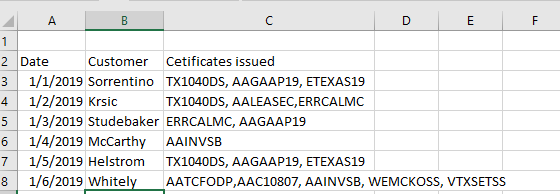
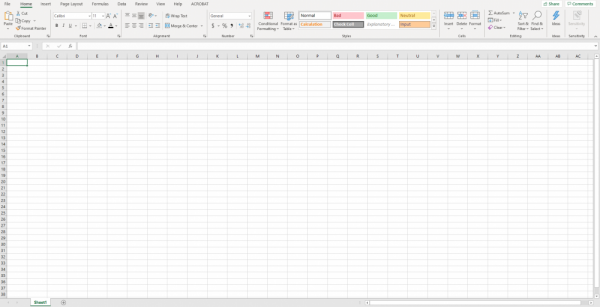
Course Format: Ebook in PDF format plus associated exercise files. The manual is set up in a question and answer format by topic. See Sample page1, Sample page 2
Course Level: Basic to Intermediate
Prerequisites: This course is designed for users of Excel 2007 although people with earlier versions would still benefit from some of the tips and tools that also work in Excel 2003 and also want to get a preview of what new features are in Excel 2007. This course is not recommended for anyone who has already taken Tools and Tips for CPAs as this course is quite similar- the major difference is that this course includes exercise files to work through while the other was just an Ebook.
Recommended CPE: 7 Hours
NASBA Category: Computer Science
Revised/Reviewed: August 2010
This is a great course if you are looking for some helpful tools and tips on increasing your efficiency and productivity in Excel. This course covers: Quick OverView of Excel 2007 basics Enhanced Features in Excel 2007 Filter, Conditional Formatting, Sort, IFERROR Basics Selecting Data, Navigating Around,Copy/Group Data Work with Formulas, Printing Analytical and Productivity Tools Subtotals, SUMIF, SUMIFS,Index Match, Pivot Tables Linking Excel Charts into PowerPoint, Get External Data, Text Commands Remove Duplicates
|